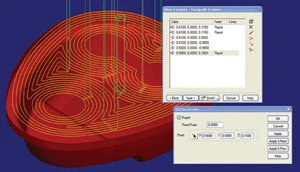
Toolpath editing, a new function of FeatureCAM Version 2007, will be demonstrated. With toolpath editing, users can make changes to part toolpaths after the toolpaths have been generated, without having to retrace their programming steps back to the feature setup. Once the toolpaths have been generated, users click on the section of the toolpath they want to edit and indicate the desired change. For production machining, having the ability to make a few minor changes in generated toolpaths can reduce cycle time with large runs. Examples of edits include changing a rapid move to a linear feed move, changing a linear move to an arc, setting or changing the feed rate, deleting a move, inserting a toolpath from another operation, reversing the path, or combining two moves into a single move.
FeatureCAM-Delcam USA Salt Lake City, UT featurecam.com Booth #D-3228

Explore the July August 2006 Issue
Check out more from this issue and find your next story to read.
Latest from Today's Medical Developments
- Stryker’s flexible syndesmotic fixation device stabilizes ankle injuries
- Mergers & acquisitions news: MGS, Quantum Surgical bolster medtech portfolios
- Exchangeable-head solid carbide cutting tools
- NextDent 300 MultiJet printer delivers a “Coming of Age for Digital Dentistry” at Evolution Dental Solutions
- Get recognized for bringing manufacturing back to North America
- Adaptive Coolant Flow improves energy efficiency
- VOLTAS opens coworking space for medical device manufacturers
- MEMS accelerometer for medical implants, wearables